
How To: Find Broken Links in a Website
InSite makes finding broken links easy.
Step 1: Download an Install InSite
Click here to download InSite. When the download has completed, run the installer file and follow the instructions to install InSite on your computer.
Step 2: Crawling your Website
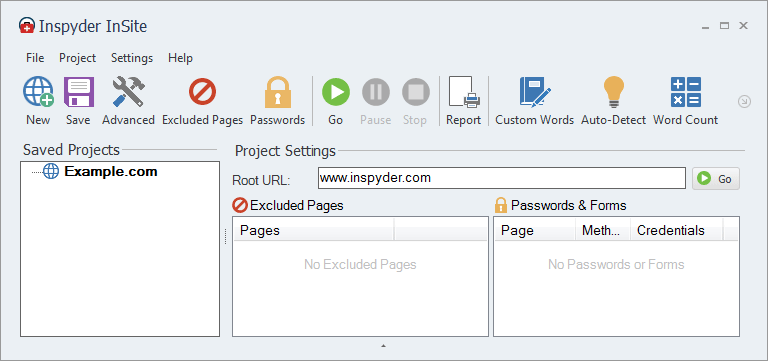
Run InSite and enter your root URL and click ‘Go‘. For this example, we’ll use ‘www.inspyder.com‘.
Step 3: Review Link Errors
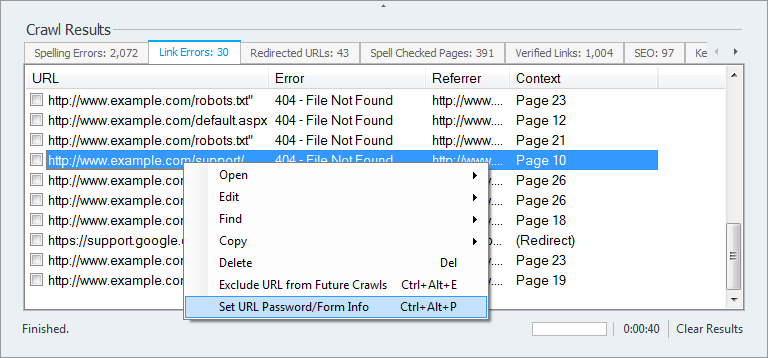
In the bottom half of the InSite window, click the ‘Link Errors‘ tab. This will display a list of errors that were detected by InSite. You can right click on any link error to open the referring page or the link error itself. You can also edit the website source if you have a HTML editor configured.
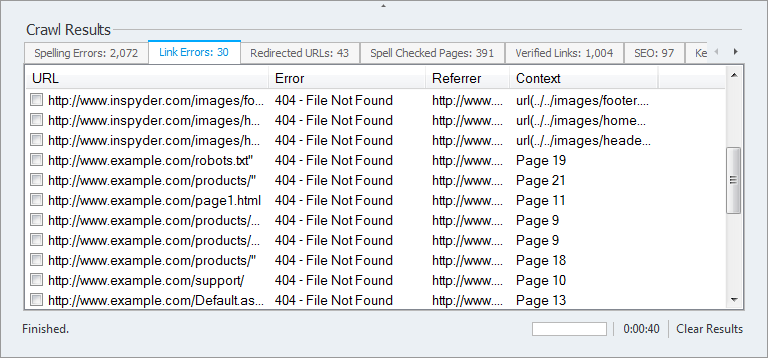
Tip: It’s possible to expand the Error message text by widening the column header.
Step 4 (optional): Setting Passwords for Protected Pages
To fix ‘Authorization Required‘ errors, right click the link error and select ‘Set Password/Form Info‘. The password protected pages window will be shown. Enter the username and password for this path and click ‘Add’. The next time you crawl this site, the username and password will automatically used by InSite.