
How To: Determine Keyword Density with InSite
A guide to determining keyword density across your entire website.
Step 1: Crawling your Website
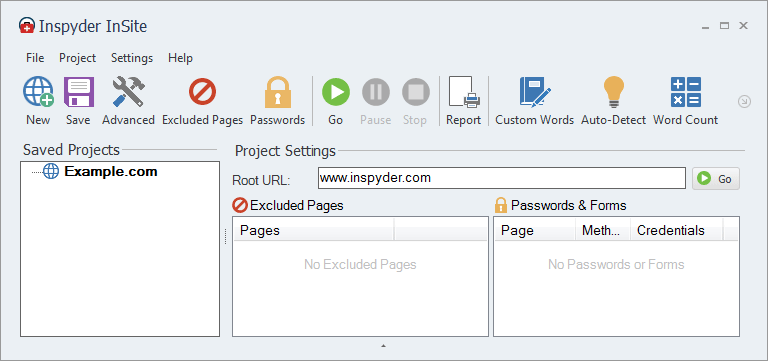
Run InSite and enter your root URL and click ‘Go‘. For this example, we’ll use ‘www.inspyder.com‘.
Step 2: Review Density
In the bottom half of the InSite window, click the ‘Keyword Density‘ tab. This will display the results containing the keyword density from your website. The results are split into two sections, the pages (on the left) and the densities on the right. Select an entry on the left to load the keyword density for that particular page.
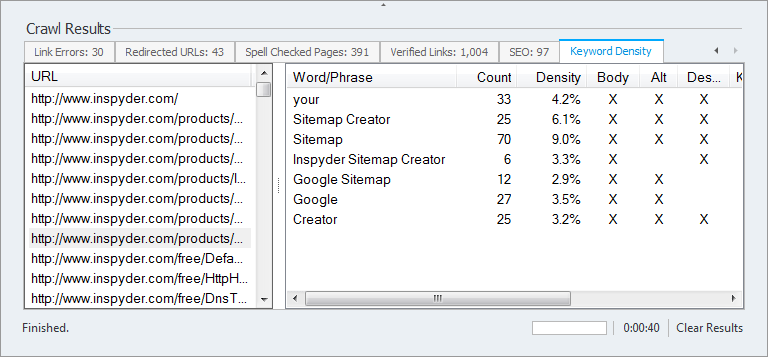
Tip: Click a column header to sort the lists.
Step 3 (optional): Export Results to PDF, Excel or CSV Format
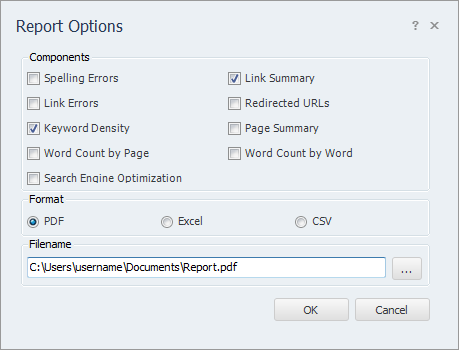
To export the keyword density data for further analysis or reporting, select ‘Project > Export Results‘. From the Export window, uncheck all Report Components except Keyword Density.